


GPS Location Tracker Plus
3.953.00 Reviews
App Specs
- Version
- 1.3.0.0
- Updated On
- License
- Free
- Downloads
- 1,000,000+
- Developer
- Anuoluwapo Product Limited
- Categories
- Maps & Navigation
- Platform
- Android
Screenshots
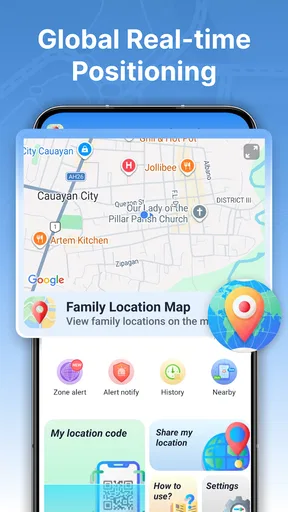
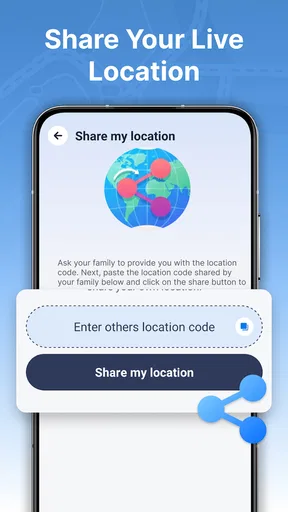
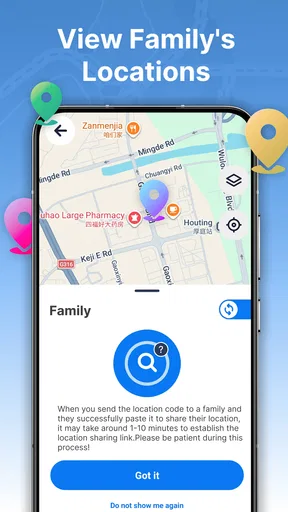
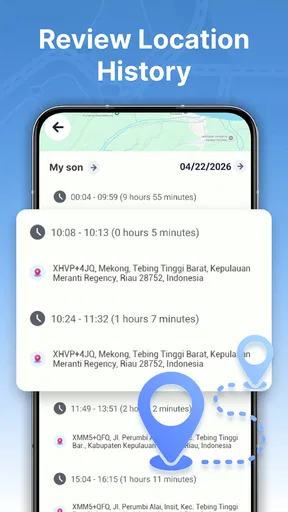
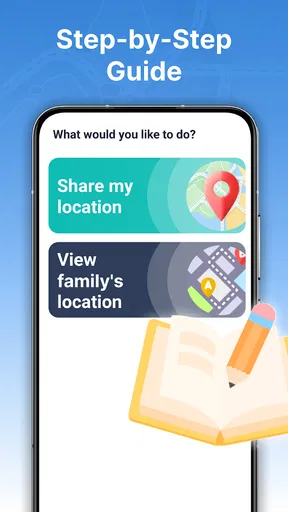
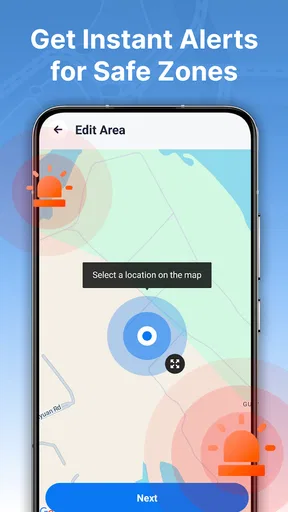
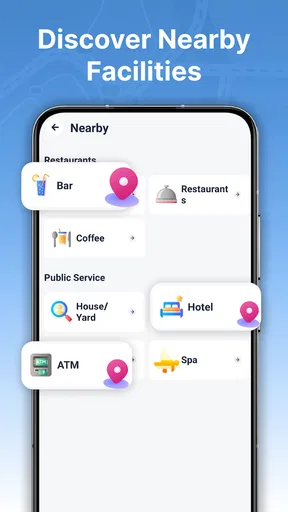
 Analysis by AppCompare
I see a location-sharing app as most useful when it reduces the number of “Where are you?” messages without turning family check-ins into constant monitoring. GPS Location Tracker Plus is built around that practical middle ground: people can follow a shared real-time location and set alerts around a safe area. I’d consider it for a family or small circle that wants a straightforward way to coordinate arrivals, while keeping expectations clear about what location tracking can—and cannot—tell you.
Start with a simple, agreed routine
The most sensible way to use the app is to make location sharing a shared decision, not a silent default. Before relying on it, I’d have everyone involved install it, agree who can see whose location, and decide when sharing is actually useful. That conversation matters more than any setting: a tracker works best when people know why it is being used and can speak up if the arrangement stops feeling comfortable.
In an ordinary day, one person might be travelling home while another is waiting to meet them. Rather than sending several updates, the traveller can share their location so the other person can check progress. A safe-area alert can add a useful arrival cue when someone enters or leaves an agreed area. That can help with a school pickup, a visit to a relative, or a family member’s regular commute, provided everyone understands what the alert means.
I would treat the map as a coordination aid rather than a minute-by-minute account of someone’s movements. A displayed position is a snapshot or live estimate, not proof that a person is safe, available, or heading to a particular destination. If a family member is late, the right next step may still be a call or message; the map should make that conversation easier, not replace it.
The app is listed in the maps and navigation category, and its focus is narrower than a full navigation tool. It is for keeping track of consenting people and using location boundaries, not for planning a route turn by turn. That distinction is helpful when choosing between it and a conventional maps app: use a navigation app to get somewhere, and consider this one when the question is whether someone has reached an agreed place.
Who is likely to find it useful
I can see it suiting families who have recurring coordination needs, such as adults checking that relatives have arrived or household members timing a pickup. It may also suit a small group that wants a shared location view for a specific outing. The strongest case is a repeated, ordinary task where a quick glance or boundary alert can save a string of messages.
It is less suitable for someone who wants a private navigation tool, a broad travel-planning suite, or a way to monitor another person without their knowledge. I would also skip it if the people involved do not agree on sharing locations. A tracker cannot make a strained trust situation healthier, and a safe-area notification is not a substitute for direct communication or emergency help.
Worth Reading Before You Choose

EA SPORTS FC Mobile 26 Is a Bigger Football Game, but It Takes Time

Flipboard Shows What News Apps Must Do Beyond the Feed

Switching to Android Auto Means Rethinking Your Driving Routine

Google Calendar Makes a Crowded Week Easier to Manage

Ludo King Makes the Most of the Minutes Between Plans

Baby Panda World Brings Quick Play to Modern Phones, but Its Game Library Feels Busy
Check the boundaries before depending on alerts
Safe-area alerts are worth thinking through before creating a routine around them. Choose a boundary that matches the real purpose: a place someone is expected to reach, rather than an area so broad that the alert provides little information. If the goal is simply to know that a person arrived at a particular destination, a smaller, clearly understood area is easier to interpret than a vague zone around an entire neighbourhood.
I’d also agree on what an alert should prompt. For example, if a child arrives at an agreed location, the notification may be enough; if an adult is expected at a family gathering, a quick message may still be more useful than watching the map. This small bit of planning prevents repeated alerts from becoming background noise and helps everyone understand that crossing a boundary is a location event, not a judgment about why someone went there.
Location tools can be affected by phone conditions and the way a device is being used, so I would not build a safety plan around receiving every update instantly. Keep another way to contact each other, especially when timing matters. This is one of the most important practical limits of any phone-based tracker: it can support a routine, but it should not be the only link between people.
Settings and habits that make tracking less awkward
Rather than opening the app repeatedly throughout the day, I’d tie it to a small number of clear situations: a commute, a pickup, or a planned meeting. That habit keeps location sharing purposeful. It also gives the group a natural point to review whether sharing is still needed, instead of letting an old arrangement continue simply because nobody has revisited it.
Before relying on an alert, check the app’s available controls and the phone’s location settings together. The app’s behaviour depends on the device being able to provide location information, so it makes sense to confirm that the relevant settings are in place and that the person sharing knows how to pause or change their participation. I would not assume that installing the app alone creates a dependable routine.
A useful group habit is to use one agreed destination and one agreed response. If someone is going to a regular place, everyone can understand what the boundary alert is meant to communicate. If plans change, a short message can explain the change rather than leaving others to infer a story from a moving dot. This is a modest workflow, but it is more reliable socially than treating every map update as a complete account.
For people who share locations often, the best shortcut is not a hidden tool; it is consistency. Agree in advance when tracking is on, what counts as arrival, and when to switch back to ordinary messaging. That cuts down on repeated setup conversations and helps prevent the app from becoming an always-on expectation. I’d especially recommend this approach for families with different comfort levels around sharing.
Where it differs from ordinary maps—and where it falls short
Compared with a standard maps app, GPS Location Tracker Plus is aimed at people rather than directions. A maps app is usually the better choice when you need a route, traffic context, or help finding an unfamiliar address. This tracker makes more sense when a group needs a shared view of someone’s location and a boundary-based arrival signal. The two types of tools can complement one another, but they are not interchangeable.
Compared with simply texting “I’m here,” the app can reduce check-in messages when several people are coordinating. The trade-off is that it introduces more setup and requires everyone to be comfortable with location sharing. A text is clearer for explaining a delay or change of plan; a location view can show progress, but it cannot explain the reason behind it. For a one-off meetup, I’d often choose a message. For a recurring family routine, shared tracking may be more convenient.
Privacy is the central limitation to weigh. A shared location can feel reassuring to one person and intrusive to another, even within the same household. I would make the arrangement reciprocal where appropriate, keep its purpose specific, and revisit it if somebody’s needs change. If the group cannot agree on those basics, the simpler option is to use direct check-ins instead.
What the app’s standing tells me
The app is free and is developed by Anuoluwapo Product Limited. It has an average rating of 3.9 from around 3,200 ratings, with over a million installs. Those figures suggest that location tracking is a familiar use case for a substantial audience, but they do not tell me whether it will fit a particular family’s privacy expectations or phone habits. I’d judge it by whether the sharing workflow feels clear to everyone who needs to use it.
Its age rating is Everyone, and the current version is 1.3.0.0, with Android 9 as the minimum operating system. It was released on April 13, 2026. Those details make it easier to check basic compatibility, but they do not change the main decision: the people sharing locations need to be comfortable with the arrangement and able to keep a backup way of communicating.
A measured verdict for experienced users
After considering how the pieces fit together, I’d describe GPS Location Tracker Plus as a focused family coordination tool, not an all-purpose safety guarantee. Its appeal is the combination of shared location and safe-area alerts, especially for routines that repeat often enough to justify setting expectations. The best results are likely to come from a group that agrees on a narrow purpose, checks its device settings, and treats alerts as prompts for coordination rather than unquestionable proof.
I’d recommend trying it when a family repeatedly needs to confirm arrivals or coordinate pickups and everyone involved has agreed to share. I would choose ordinary messaging for occasional meetups, a conventional navigation app for route guidance, and another communication method as backup whenever timing is important. If you establish a simple routine and keep the privacy conversation open, this app can make everyday coordination less fussy; if you expect it to answer every safety question on its own, it is not the right tool.
Pros
- Tracks location in real time for easier check-ins.
- Location history can help retrace recent routes.
- Geofencing alerts notify you when someone reaches a set area.
- A clear map view makes shared locations easy to understand.
- Useful for coordinating with family or friends on the move.
Cons
- Accurate tracking depends on a reliable GPS signal.
- Background location access can increase battery use.
- Sharing location data raises privacy considerations.
- Mobile data may be needed for map updates and tracking.
- Tracking requires consent and setup on each device.
FAQs for GPS Location Tracker Plus
What is GPS Location Tracker Plus used for?
GPS Location Tracker Plus is intended to help users view and monitor location information using a compatible device. Depending on the app’s current features and your device settings, it may offer tools such as viewing a position on a map, recording location history, or sharing location with other people. Check the app listing for the exact features available in your version, since capabilities can vary by platform and update.
Does GPS Location Tracker Plus track someone without their knowledge?
A location-tracking app should be used transparently and only with appropriate permission. GPS Location Tracker Plus requires access to location information from the device it runs on, and any sharing or monitoring should follow the app’s settings, the device owner’s consent, and applicable laws. Do not use it to secretly monitor another person. Before installing, review the app’s description and privacy information to understand how location data is collected and shared.
What permissions and settings does GPS Location Tracker Plus need?
Location access is generally essential for a GPS tracking app, and some features may depend on allowing access while the app is not open. Your phone may also request permission for notifications, background activity, or other functions. Grant only the permissions needed for the features you intend to use, and check your operating system’s privacy controls if tracking does not work. Battery-saving settings can also limit location updates in the background.
Can GPS Location Tracker Plus show an exact location at all times?
No tracking app can guarantee a perfectly accurate, uninterrupted position. GPS results can be affected by indoor use, tall buildings, poor satellite reception, network availability, device settings, and battery restrictions. Updates may also be delayed when the phone is offline or the app cannot run in the background. Treat displayed locations as estimates, verify important information through another means, and check the app’s settings and listing for details about its update behavior.
Is GPS Location Tracker Plus free, and what should I check before downloading it?
Pricing, subscriptions, advertisements, and available features can vary by version and platform, so check the current Google Play or App Store listing before downloading. Review compatibility, recent update details, developer information, user feedback, and the privacy disclosures for the listing. Also consider whether the app’s location-sharing approach suits your needs and whether you are comfortable with the permissions it requests before enabling tracking.


